

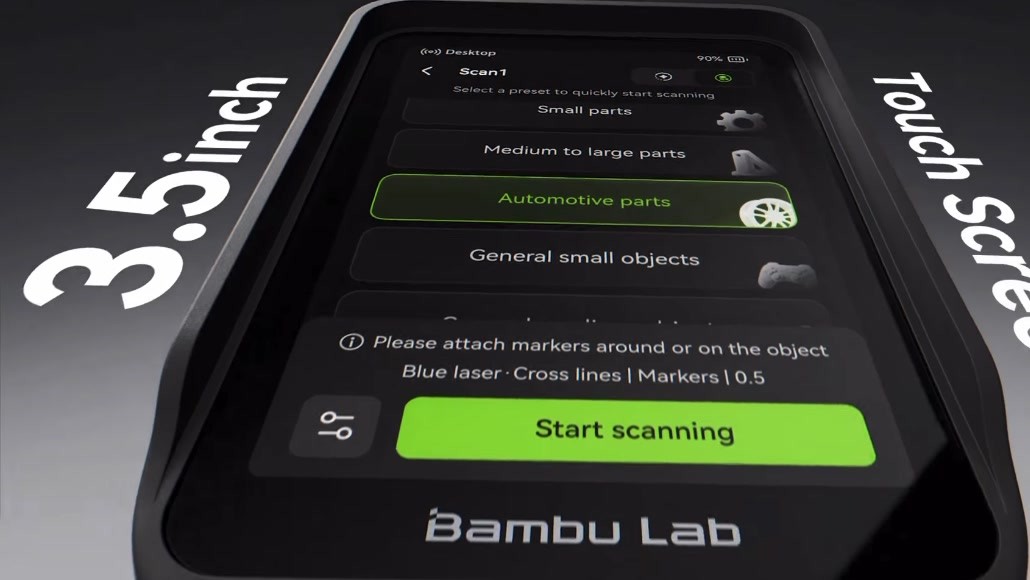
Bambu Lab launched the S1 on 26 November 2026, two months after the scanner first appeared in an FCC filing, and the company’s first 3D scanner is priced at US$1,699 for a single unit. The S1 is a handheld scanner with a blue laser and a short-range infrared light source, a 3.5-inch touchscreen, two 4,800 mAh batteries and Wi-Fi 6, and it comes with Bambu Lab’s own scanning software, Bambu Scan, which sends finished models to Bambu Studio in one click.
As a short disclaimer, I have not used the S1, so this article is based on Bambu Lab’s launch video, launch blog post and S1 product page, together with the FCC filing we covered in September, not on personal experience with the scanner.
The US$1,699 price is exactly the regular price of the Elegoo M1 Ultra, the scanner Elegoo launched four weeks earlier. The two scanners also share the same blue laser layout, with 34 crossed lines, 7 parallel lines and a single line, and they claim the same volumetric accuracy of 0.02 mm + 0.06 mm/m, so the S1 enters a market where a near-identical specification already exists at the same price.
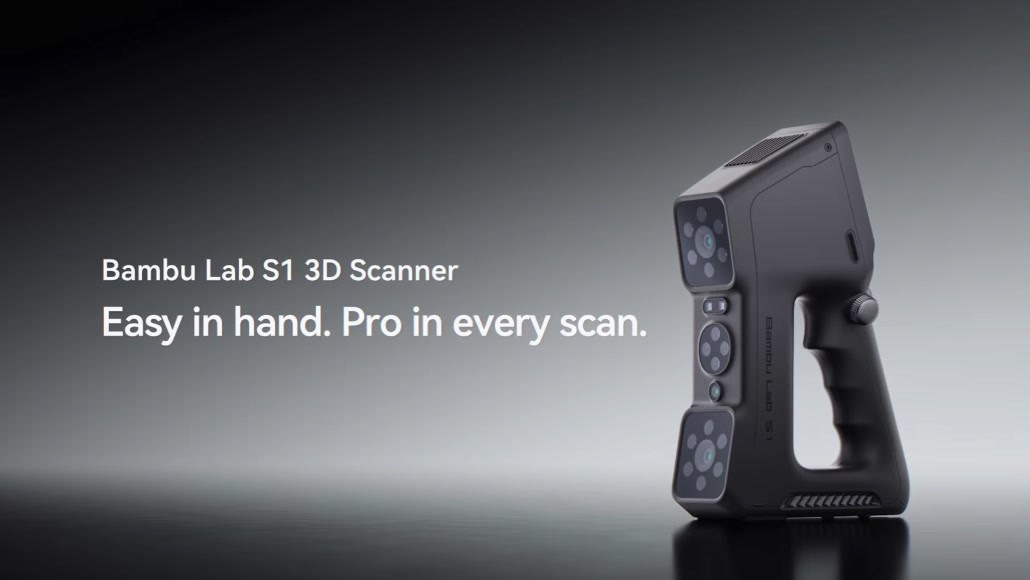
What the FCC filing got right
In September, our first S1 article went through the FCC grant for model DS001 and read it as a handheld 3D scanner, mainly because the filing included an extremity SAR test, which is done on devices held in the hand while they transmit. The launch confirms most of what the filing suggested.
| Detail | What the FCC filing showed in September | What Bambu Lab launched |
|---|---|---|
| Product type | Label reads “3D Scanner” | Handheld 3D scanner |
| Form factor | Extremity SAR test, grip on the label drawing | Pistol-grip handheld |
| Power | 20 V at 3 A, 60 W on the label | 60 W fast charger included |
| Wireless | 5 GHz radio only | Wi-Fi 6, with a wired option |
| SCANTECH link | Circumstantial | Still not named by Bambu Lab |
The 60 W input rating on the FCC label is consistent with the 60 W fast charger that Bambu Lab now includes with the S1. Bambu Lab says this charger takes the two batteries from 0 to 100% in as little as 1.5 hours, and that the batteries give up to 3.5 hours of scanning. That last figure comes with a footnote in the launch video, which says it was measured at 25°C in blue cross-line mode at the maximum exposure setting.
Two light sources, four scanning modes
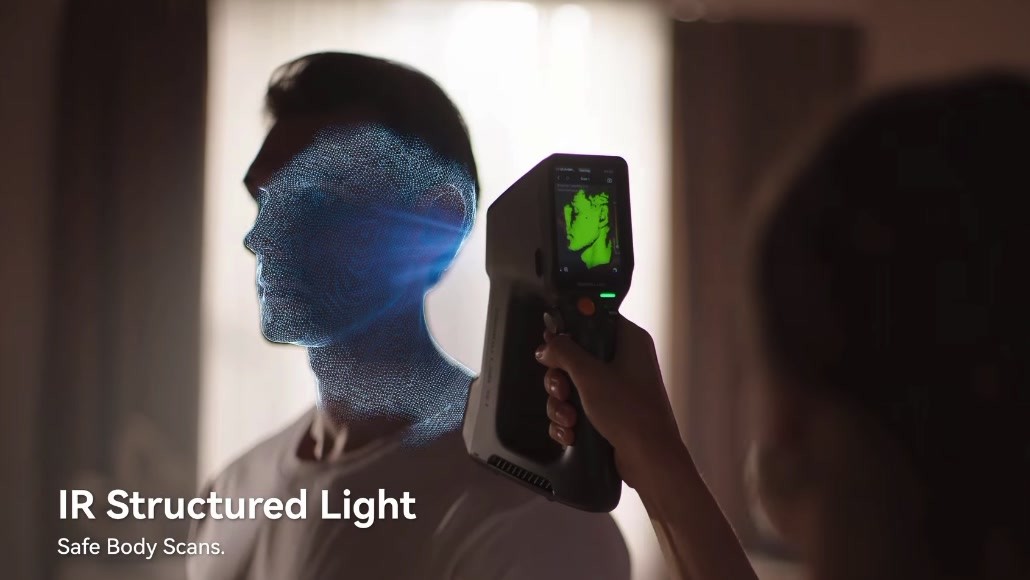
The S1 uses a blue laser for most work and infrared structured light for people and quick general scans. Bambu Lab lists the four modes as follows.
| Mode | Scan rate | Point spacing | Working distance |
|---|---|---|---|
| 34 crossed blue laser lines | Up to 1,836,000 points/s | 0.1 mm | 180 to 600 mm |
| 7 parallel blue laser lines | Up to 756,000 points/s | 0.05 mm | 180 to 400 mm |
| Single blue laser line | Up to 108,000 points/s | 0.1 mm | 180 to 600 mm |
| Infrared speckle | Up to 2,880,000 points/s | 0.2 mm | 180 to 1,000 mm |
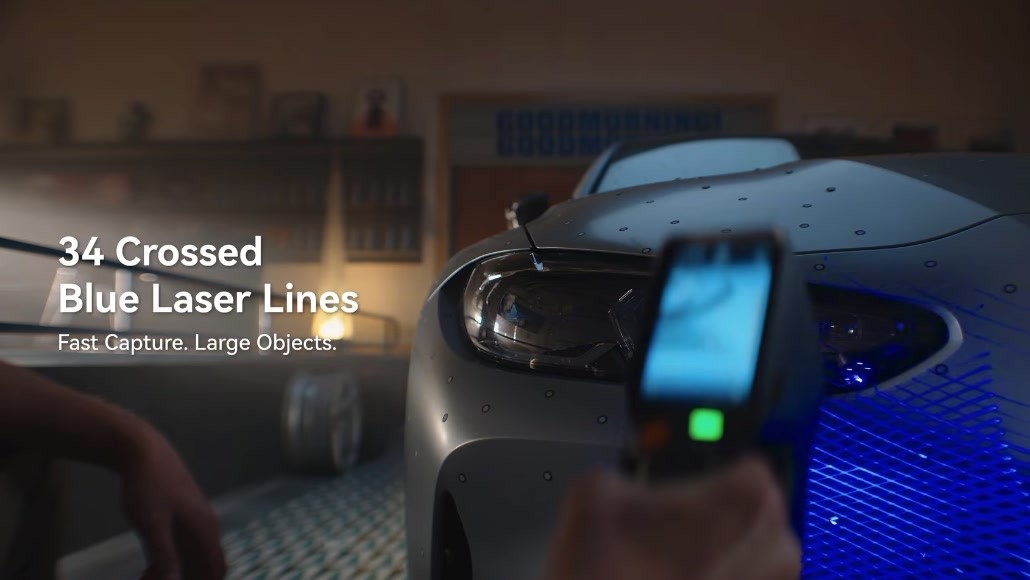
The 34-line mode is meant for large objects such as car panels, the 7-line mode for fine detail, and the single line for screw holes, grooves and other recessed features. Bambu Lab quotes a single-frame accuracy of up to 0.02 mm in blue laser mode and up to 0.06 mm in infrared mode, and a volumetric accuracy of 0.02 mm + 0.06 mm/m in blue laser mode, which works out to 80 microns across a 1 m object. The infrared mode is the one Bambu Lab recommends for scanning people, since it is described as eye-safe, and an RGB camera adds colour texture in every mode.
Bambu Scan does most of the setup
Most of the launch video is about software rather than hardware. Bambu Scan has 14 scene presets, such as Face, Automotive Parts, Cultural Relics and Glossy Black parts, and each preset sets the light source, alignment method, point spacing and laser brightness automatically. For objects that do not fit a preset, the software asks a few questions about the object, including its size, the level of detail needed and whether it is black, reflective or transparent, and then recommends the settings.
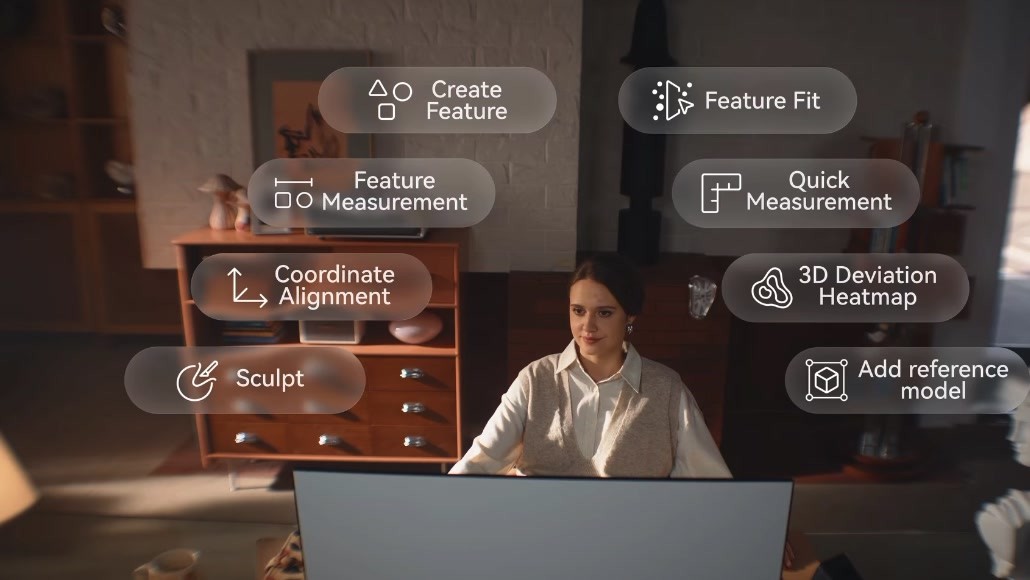
After scanning, Bambu Scan includes eight editing tools at no extra cost: Quick Measurement, Feature Measurement, Create Feature, Feature Fit, Coordinate Alignment, 3D Deviation Heatmap, Sculpt and Add Reference Model. Bambu Lab’s argument here is that professional post-processing software usually costs extra, and its launch post says a perpetual licence for such software can exceed US$1,500. The FAQ adds one condition, which is that all the tools are available while the S1 is connected to the PC, and some of them are restricted when it is not. These tools work on the scanned mesh, so the one-click export to Bambu Studio sends a mesh ready for printing rather than an editable parametric CAD model, and reverse engineering a part into CAD still needs separate CAD work.
Bambu Lab S1 against the Elegoo M1 Ultra
The Elegoo M1 Ultra, which we covered in our M1 Ultra article in October, is the closest comparison, since both are handheld scanners from 3D printer brands that combine the same three blue laser patterns with an infrared mode.
| Specification | Bambu Lab S1 | Elegoo M1 Ultra |
|---|---|---|
| US price | US$1,699 | US$1,699 (US$1,599 early bird ended 12 Nov) |
| Blue laser | 34 crossed, 7 parallel, 1 single | 34 crossed, 7 parallel, 1 single |
| Volumetric accuracy | 0.02 mm + 0.06 mm/m | 0.02 mm + 0.06 mm/m |
| Max blue laser scan rate | 1,836,000 points/s | 2,040,000 points/s |
| Max blue laser frame rate | 90 fps | 100 fps (wired) |
| Wireless frame rate | Up to 80 fps | Up to 60 fps |
| Screen | 3.5-inch touchscreen | 3-inch touchscreen |
| Battery | 2 × 4,800 mAh built in, up to 3.5 hours | 4,800 mAh swappable, up to 1.5 hours each, spare included |
| Weight | 710 g | 511 g with battery |
| Wireless | Wi-Fi 6 | Wi-Fi 6 |
| Computer support | Windows with Nvidia graphics only, macOS coming | Windows and Mac |
On paper, the two scanners trade small advantages. The M1 Ultra captures more points per second at its maximum, but the S1 has the higher advertised frame rate over Wi-Fi, at 80 fps against 60 fps, which matters since wireless scanning is a selling point for both. The battery gap is also smaller than 3.5 hours against 1.5 hours suggests, because the M1 Ultra comes with a spare battery, so two charged batteries give it roughly 3 hours with one swap, while the S1 runs its 3.5 hours without stopping. The S1 also has the bigger screen and the eight free editing tools, while the M1 Ultra is about 200 g lighter, includes a hard case, and already works with a Mac. The S1’s other advantage is the one-click export to Bambu Studio, which matters mainly to people who already print on Bambu Lab machines. Neither scanner has been tested side by side yet, so how the two compare in scan quality is still an open question.
The SCANTECH connection is still not confirmed
Bambu Lab’s launch materials do not mention SCANTECH, the Hangzhou scanner maker that signed a framework agreement in January with Shenzhen Tuozhu Technology, the company behind Bambu Lab, to design consumer scanners together and manufacture them for Bambu Lab, which SCANTECH later described as a five-year cooperation. The S1’s laser layout does resemble SCANTECH’s own 3DeVOK MT Gen2, which also combines 34 crossed blue laser lines, parallel lines, a single line and infrared, but the Gen2 uses 11 parallel lines instead of 7 and is listed at US$8,299, so the S1 is not the same scanner under a different name. The connection remains likely given the timing and the agreement, but it is still not confirmed by either company for this product.
What to check before buying in Malaysia
Bambu Lab’s launch post only gives the US price, so the price on the Asia store used for Malaysia is not confirmed yet. Before ordering, there are a few requirements that are easy to miss, and most of them are in the footnotes and the FAQ rather than in the main product page.
The S1 currently works only with Windows PCs. Bambu Lab’s FAQ says Windows on ARM and Windows PCs without Nvidia graphics are not supported, and the minimum specification is an Intel i7 7th Gen or AMD Ryzen 7, 16 GB of RAM and an Nvidia RTX 2060 with 6 GB of VRAM, while the recommended setup is an i7 13th Gen or Ryzen 9, 32 GB of RAM and an RTX 3060 with 8 GB of VRAM. This rules out many laptops with integrated or AMD graphics, and Mac support is listed as coming soon without a date.
Wireless scanning needs a PC that supports Wi-Fi 6, or a Wi-Fi 6 adapter that is sold separately, and Bambu Lab recommends its own adapter because it has a cooling fan. For wired scanning, the FAQ says cables below the USB 3.1 standard and docking stations may not work properly, so the official cable is the safer choice. The official Wi-Fi adapter and the electric turntable are both listed as coming soon. Transparent objects such as glass also need scanning spray before they can be scanned, which is normal for scanners of this type.
Finally, the S1 has Wi-Fi, so official sales in Malaysia are subject to MCMC equipment approval, with SIRIM QAS as the certification body, which is a separate process from the FCC, and local availability may follow the global launch rather than arrive at the same time.
Bambu Lab S1 specifications
| Specification | Bambu Lab S1 |
|---|---|
| Light sources | Blue laser (34 crossed, 7 parallel, single line), infrared speckle |
| Accuracy | Up to 0.02 mm (blue laser), up to 0.06 mm (infrared) |
| Volumetric accuracy | 0.02 mm + 0.06 mm/m (blue laser), 0.06 mm + 0.1 mm/m (infrared) |
| Frame rate | Up to 90 fps (blue laser), up to 30 fps (infrared) |
| Minimum object size | 5 × 5 × 5 mm (blue laser), 150 × 150 × 150 mm (infrared) |
| Cameras | One RGB camera, one monochrome camera |
| Screen | 3.5-inch HD touchscreen |
| Battery | 2 × 4,800 mAh, up to 3.5 hours, 0 to 100% in 1.5 hours |
| Connectivity | Wi-Fi 6 or wired |
| Weight and size | 710 g, 233 × 160 × 77 mm |
| Software | Bambu Scan (Windows), one-click export to Bambu Studio |
| In the box | S1, 60 W charger, glass calibration board |
| US price | US$1,699 |
What to watch for next
The S1 brings Bambu Lab’s ease-of-use approach to 3D scanning at the same price as the Elegoo M1 Ultra, with a longer battery life, a larger screen and a free set of editing tools on its side, and a Windows-and-Nvidia-only requirement against it for now. The first things to watch are the Asia store price, the shipping date, and the first independent reviews that put the S1 and the M1 Ultra through the same scans. We will update this article when Bambu Lab publishes regional pricing or when macOS support arrives.
Sources
- Easy in Hand, Pro in Every Scan: Bambu Lab introduces the S1 3D scanner, Bambu Lab Blog
- Bambu Lab S1 3D Scanner, Bambu Lab
- Bambu Lab S1 FAQ, Bambu Lab
- FCC ID 2A6J8-DS001, Bambu Lab S1
- ELEGOO Moves Into 3D Scanning With the M1 Ultra, Priced From $1,599, 3D Printing Industry
- Elegoo M1 Ultra review, Tom’s Hardware
- ELEGOO M1 Ultra 3D Scanner, ELEGOO US Store
- Meet the 3DeVOK MT Gen2, 3D Printing
- Bambu Lab S1 3D Scanner: What We Know, the SCANTECH Link, and the Price Question, 3DBite
- Bambu Lab S1 3D Scanner Confirmed By FCC Filing, And It Looks Handheld, Domechy
- Bambu Lab S1 3D Scanner Teased for November 2026, Domechy
- Elegoo M1 Ultra 3D Scanner: 2 Chances to Get Elegoo’s First Scanner for Free, Domechy
Don’t miss the latest articles and guides
Get new Domechy articles, guides and free models straight to your inbox.

padu habis!!! dah tak payah connect langsung pada PC atau phone
As expected from Bambu