
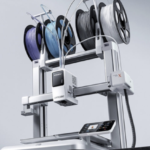
Multi-colour 3D printers are now sold at almost every price point, from four-colour bed slingers to toolchangers with five or more heads. They all have to solve the same problem, which is getting the previous filament out of the way before the next one can print, and the method a printer uses for this decides how much filament it wastes, how long a multi-colour print takes, and whether it can mix different materials in one part.
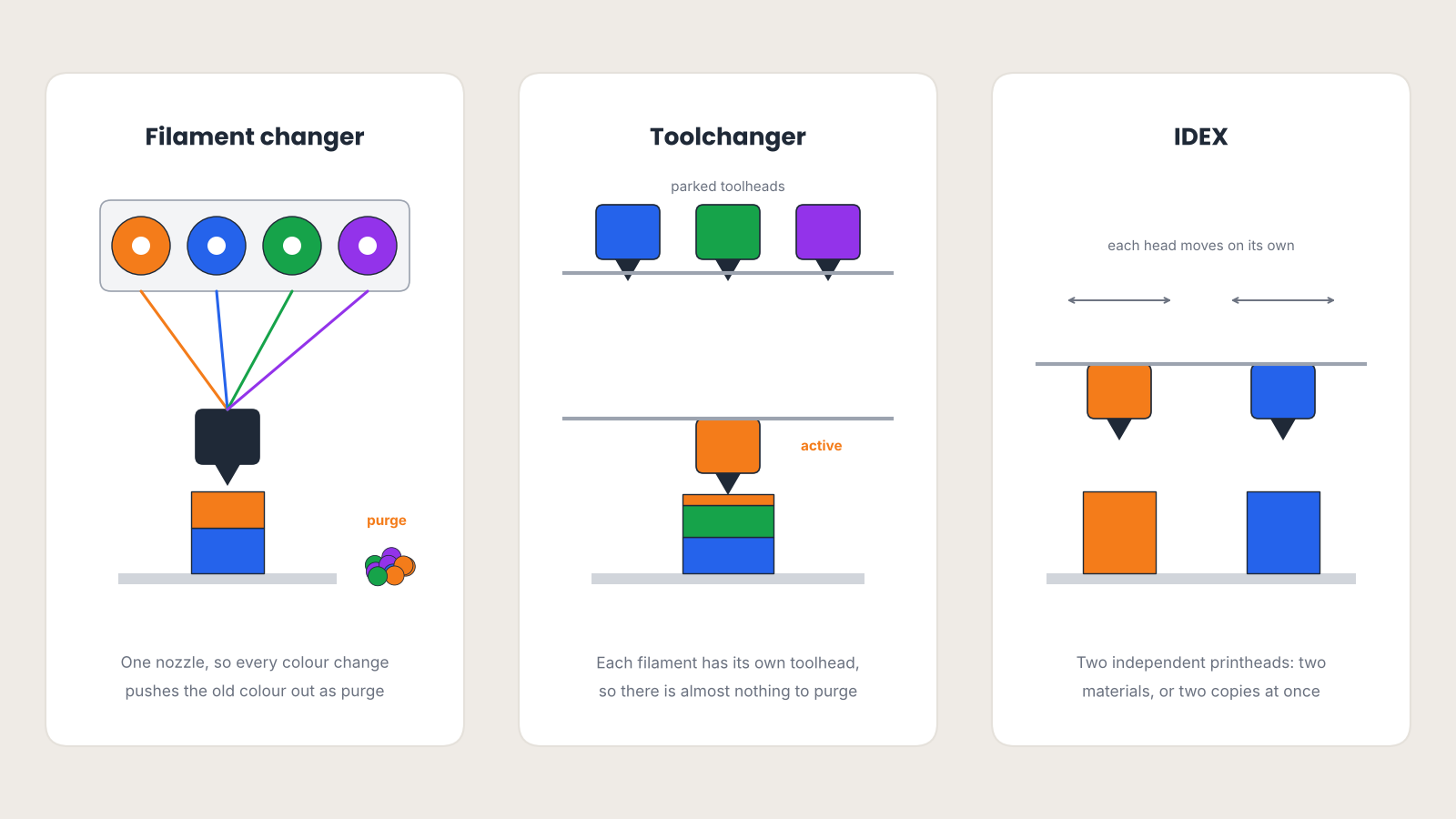
There are three main approaches on the market today. The first feeds several filaments into one nozzle through a filament changer such as Bambu Lab’s AMS or Creality’s CFS. The second gives each filament its own complete toolhead and swaps between them, which is what toolchangers do. The third, IDEX, puts two fully independent printheads on the same axis. Several newer printers sit between these groups, so this guide also covers dual-nozzle toolheads, hotend changers and Creality’s QuarTeks toolhead.
| Method | Example printers | Filaments per print | Colour-change purge | Different materials and temperatures |
|---|---|---|---|---|
| Filament changer, one nozzle | AMS printers, CFS printers | 4 to 24 | On every change | Limited, one hotend |
| Dual nozzle with filament changer | Bambu Lab H2D, X2D | Up to 25 on the X2D | Only when a nozzle changes filament | Two hotends |
| Multi-channel toolhead | Creality SPARKX i8 | 4 | Small, by Creality’s figures | No, one hotend |
| Hotend changer | Bambu Lab H2C, Prusa CORE One INDX | Up to 7 without colour-change purge on the H2C | Little within the hotend count | Yes |
| Toolchanger | Prusa XL, Snapmaker U1, Flashforge Creator 5 | 4 to 5 | Little | Yes |
| IDEX | Two-head IDEX printers | 2 | Little | Yes, plus copy and mirror printing |
Why a single nozzle has to purge
When a printer with one nozzle changes colour, the filament changer pulls the old filament back, feeds the new one in, and then pushes enough of the new filament through the nozzle to clear out the old colour. The plastic pushed out during this step is the purge, which is why AMS and CFS printers leave a pile of small blobs behind after a multi-colour print. Most of these printers also build a prime tower next to the model, which is a small block printed in every colour to stabilise the flow after each change.
The amount purged depends on the colours involved. Bambu Lab’s own guide notes that switching from black to white needs several times more flushing than switching from white to black, because a dark colour takes longer to clear from a light one. A model with hundreds of colour changes per print adds up quickly, and each change also costs time while the printer unloads, loads and flushes.
Slicers can reduce some of this. Bambu Studio, for example, can flush the old colour into the model’s infill or supports instead of the waste chute, as long as the prime tower is enabled. It helps on large models with plenty of hidden infill, but it does not remove the purge completely, and Bambu Lab does not recommend it for transparent filament.
Filament changers feeding one nozzle
This is the most common type of multi-colour printer and usually the cheapest way into multi-colour printing. A separate box holds four spools and feeds whichever one is needed into a single nozzle.
| System | Brand | Spools per unit | Maximum per printer | Storage and drying |
|---|---|---|---|---|
| AMS 2 Pro | Bambu Lab | 4 | Up to 4 AMS 2 Pro and 8 AMS HT, 24 filaments in total | Sealed, dries up to 65°C |
| AMS lite | Bambu Lab | 4 | One unit on the A1 series | Open design, no drying |
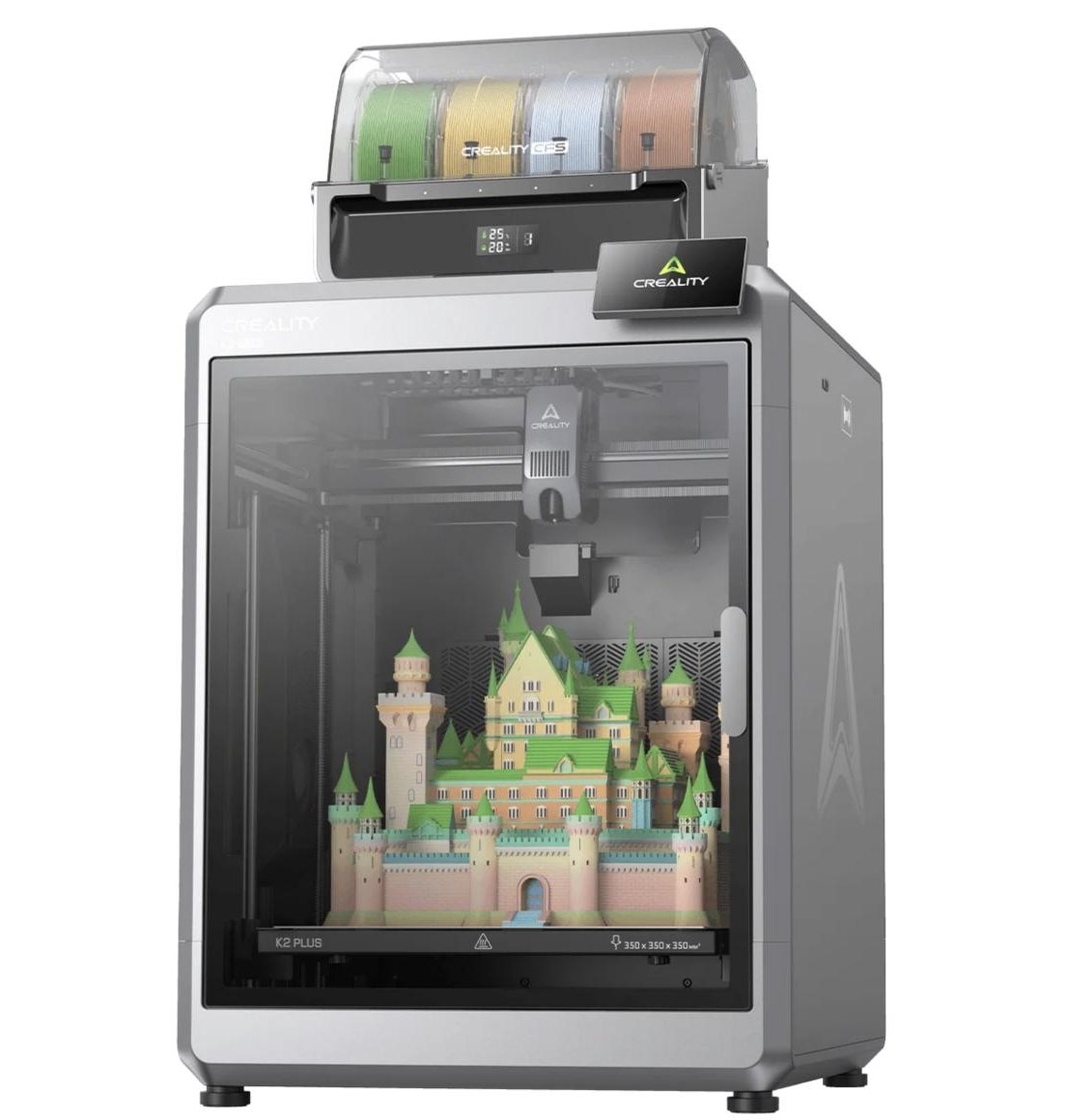
| CFS | Creality | 4 | Up to 4 units, 16 colours | Sealed with desiccant and a humidity display |
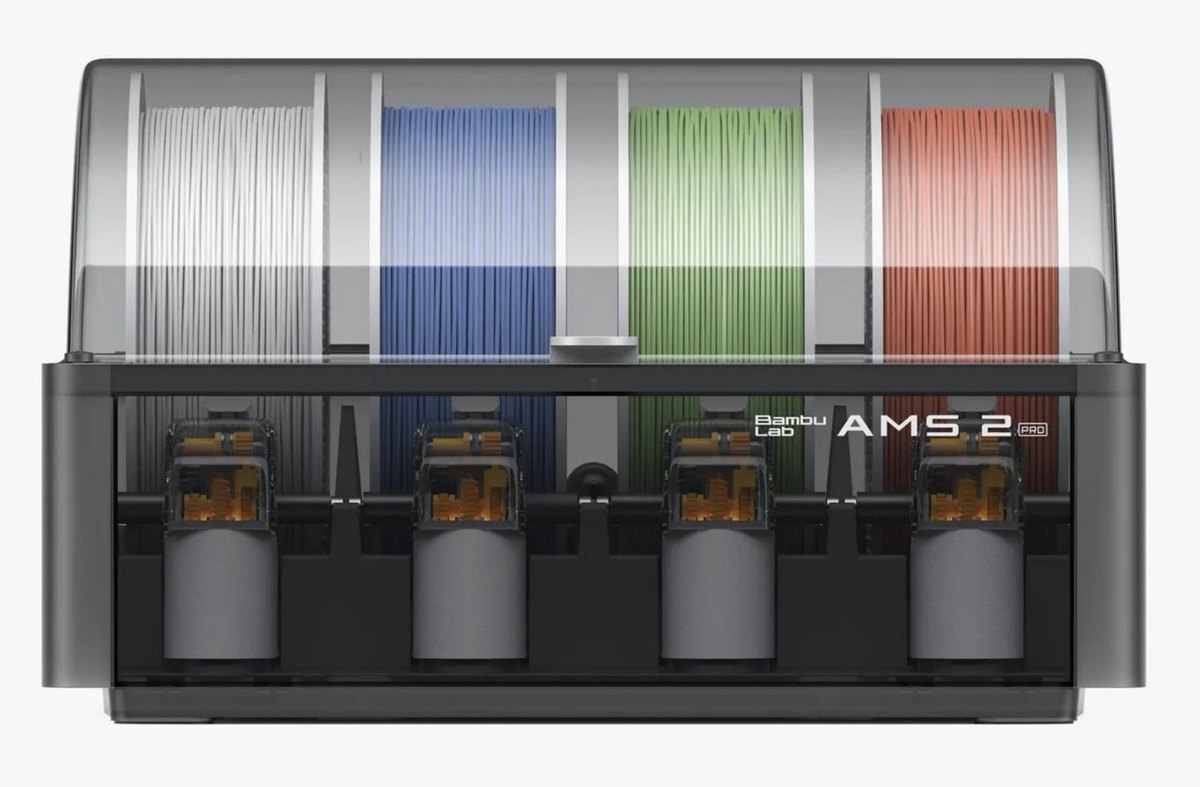
Anycubic’s ACE Pro, Elegoo’s CANVAS, Flashforge’s IFS and Prusa’s MMU3 work on the same principle, so the purge described above applies to all of them. AMS and CFS are brand names for the same type of system, and neither purges less simply because of the name, since the amount wasted depends more on the printer’s filament path, where it cuts the filament, the nozzle and hotend design, and the slicer’s flush settings. Bambu Lab also has two more AMS units on the way, which appeared in FCC filings for the AMS 3H and AMS 3P in September.
The main advantage of this approach is the number of colours, since a single four-slot unit gives four colours and chaining units gives 16 or more from one nozzle, which is more than any toolchanger on sale today. The enclosed units also double as dry storage, which helps in a climate as humid as Malaysia’s, where filament left in open air absorbs moisture and starts printing poorly. The trade-off is that every colour change costs filament and time, so the waste grows with the number of colour changes rather than with the size of the model.
Dual-nozzle toolheads, hotend changers and QuarTeks
Several recent printers keep a filament changer but add a way to purge less. Bambu Lab’s H2D and X2D carry two nozzles on one toolhead. On the X2D, the main nozzle draws from the AMS while the second nozzle holds a single filament for the whole print, so a two-colour or two-material print needs almost no purge. In our X2D review, the slicer estimate for a two-colour print came to about 12 g for the wipe tower with purge close to zero. Prints with more colours than nozzles still purge on the AMS side. Whether the second nozzle is worth paying for over a single-nozzle printer is covered in our X2D vs P2S comparison.
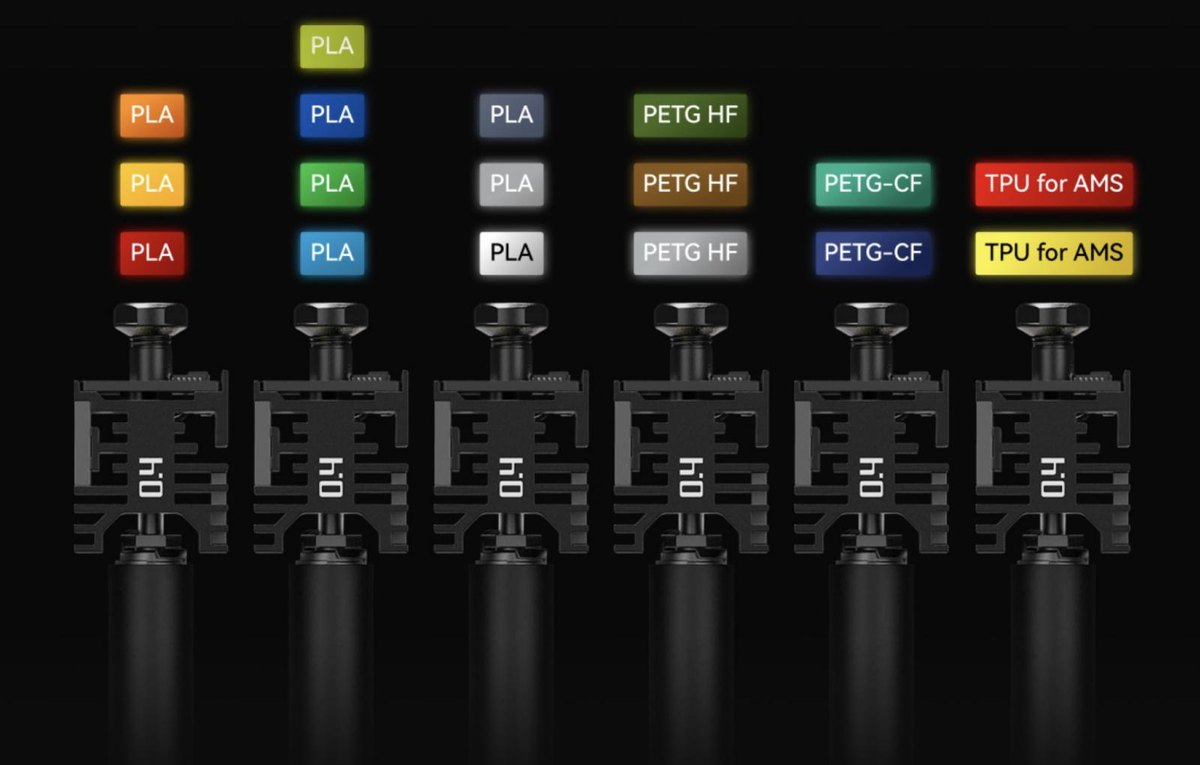
Hotend changers go further by giving frequently used filaments their own hotend. The Bambu Lab H2C keeps six Vortek hotends on a rack inside the chamber and swaps them onto the right side of the toolhead, which, with the standard left nozzle, gives up to seven filaments without colour-change purging between them. Loading a filament into a hotend for the first time and priming it still uses some material, and the filament still travels from the AMS, so loading a new spool into a hotend takes longer than a swap on a full toolchanger. Prusa’s CORE One INDX, developed with Bondtech, and Creality’s KliTek system on the upcoming K3 also swap nozzles rather than whole toolheads.
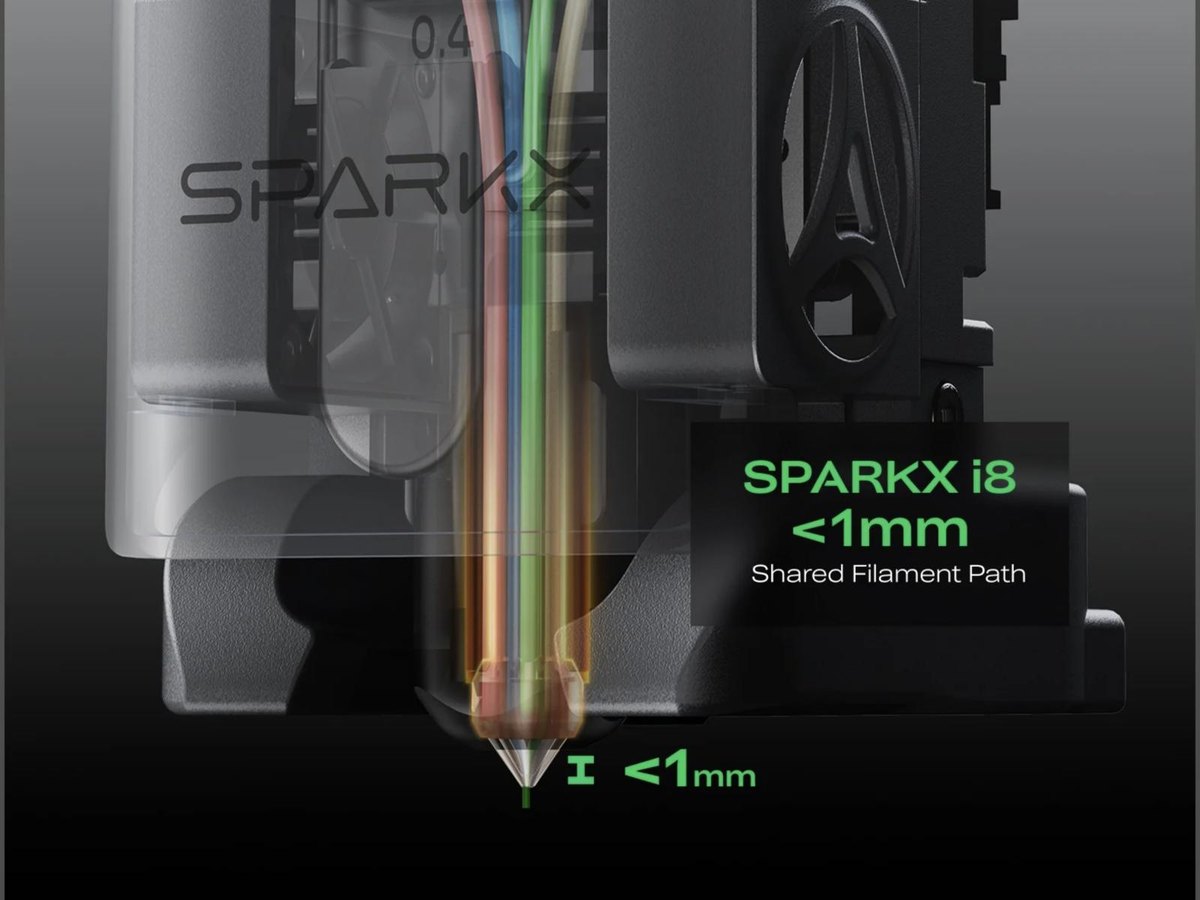
Creality’s QuarTeks toolhead on the SPARKX i8 takes a different route. Creality says its four filament channels share a path of less than 1 mm before the nozzle, rather than merging in an external box, so there is very little old filament to clear on each change, and Creality claims a switch takes under one second. Creality’s own comparison image shows 15.1 g of purge for the i8 against 79.5 g for an unnamed competitor. It still has one hotend and one nozzle size, and it can only hold one nozzle temperature at a time, so it is a better four-colour system rather than a multi-material one. We covered the published figures in detail in our SPARKX i8 article.
Toolchangers
A toolchanger gives each filament its own complete toolhead with its own extruder, hotend and nozzle. The printer parks the toolheads that are not in use and picks up the next one when the colour changes, so there is no shared melt chamber to flush between colours. Some material is still used for loading, priming and the prime tower, so a toolchanger reduces waste rather than removing it.
| Printer | Toolheads | Manufacturer’s claim |
|---|---|---|
| Original Prusa XL | Up to 5 | Tools stay heated while parked |
| Snapmaker U1 | 4 | About 5 seconds per swap, up to 85% less waste than shared-nozzle printers |
| Flashforge Creator 5 and Creator 5 Pro | 4 | Automatic calibration across toolheads |
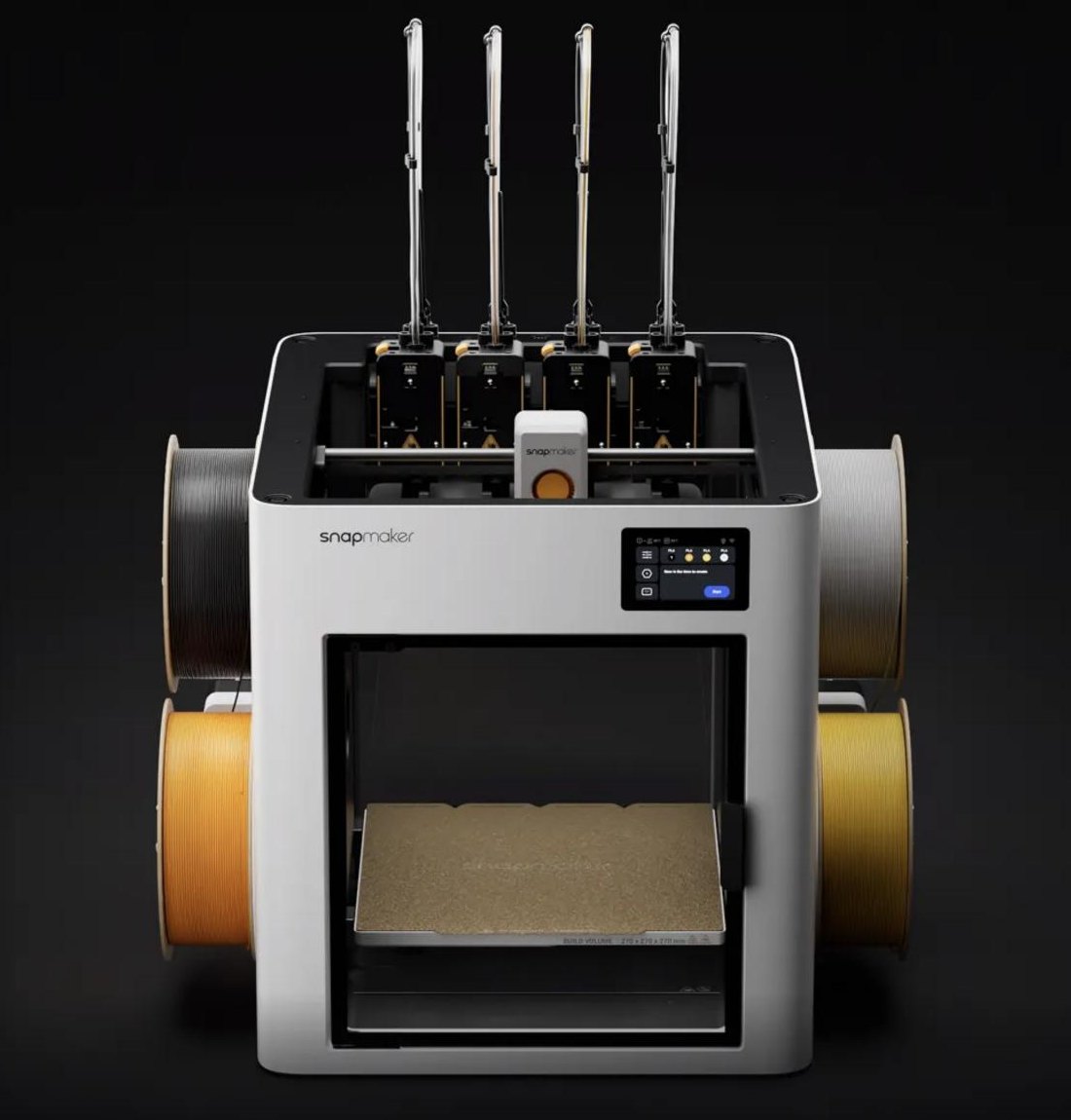
Because each toolhead has its own hotend, a toolchanger can do more than switch colours. It can print a rigid material and a flexible one in the same part, run each tool at its own temperature, use a different nozzle size on each tool, or print soluble supports without contaminating the main material. A small prime tower is still common, since a nozzle that has been parked can ooze a little before it starts printing again. Separate hotends also do not guarantee that two materials will bond to each other, so combinations such as PLA with PETG or TPU still depend on the materials themselves, the bed and chamber temperature, and how the part is designed.
The limits are the number of tools and the price. Four or five toolheads means four or five filaments per print, and each extra toolhead adds a complete extruder and hotend to the cost. Toolchangers also have more moving parts to calibrate and maintain. In our Snapmaker U1 review, the purge difference against a filament changer was obvious just by looking at the waste, but the U1 also spent longer preparing before each print, and it is not a printer we would recommend to a beginner. The wider list of toolchangers launched this year is in our toolchanger guide.
IDEX printers
IDEX stands for independent dual extrusion. The printer has two complete printheads sharing the X axis, and each one can move on its own while the other is parked at the side. For multi-colour printing a conventional two-head IDEX printer behaves like a two-tool toolchanger, with little purge between the two materials, but it is limited to two filaments per print.
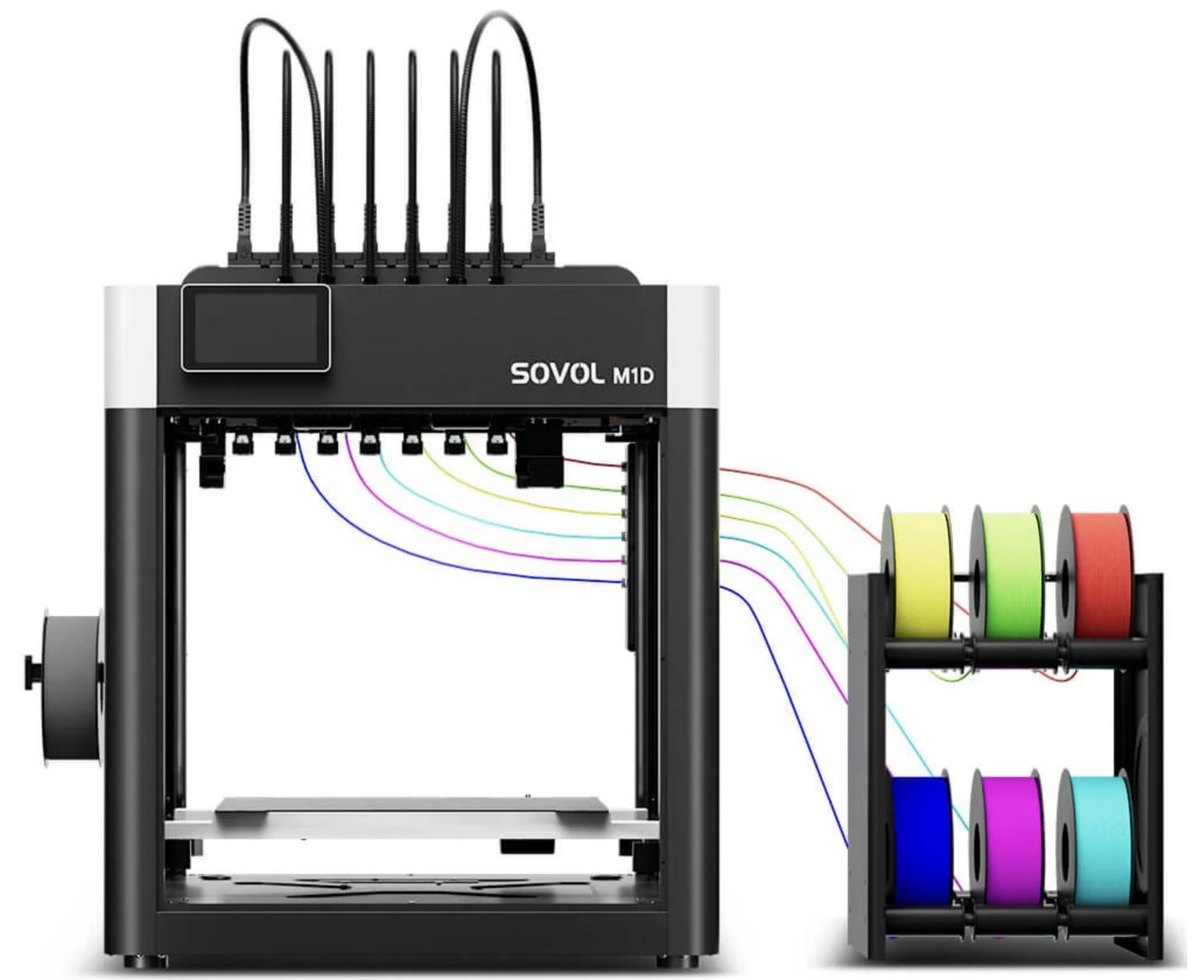
The feature that sets IDEX apart is copy and mirror printing, where both heads print the same part, or a mirrored copy of it, at the same time. That roughly doubles output for small batch production, and it is the main reason IDEX printers are still made now that most consumer multi-colour printing has moved to filament changers. The trade-off is calibration, since the two heads have to be aligned precisely with each other, and on cheaper machines this has historically made IDEX more hands-on than most users want. Newer hybrid designs combine IDEX with tool changing to get past that limit. Sovol’s M1D, for example, has one fixed printhead on one side and a toolchanger cycling through six docked heads on the other, for up to seven materials in total.
What one independent test shows about filament waste
Tom’s Hardware printed the same multi-colour test model, the Maker’s Muse Calibration Castle, on three printers that each use a different method, and published the print time and the filament that did not end up in the model.
| Printer | Method | Print time | Prime tower | Purge waste |
|---|---|---|---|---|
| Bambu Lab H2D | Two nozzles fed by AMS | 23 h 30 min | 70 g | 279 g |
| Bambu Lab H2C | Vortek hotend changer | 11 h 13 min | 41 g | None |
| Original Prusa XL | Toolchanger | 6 h | 37 g | None |
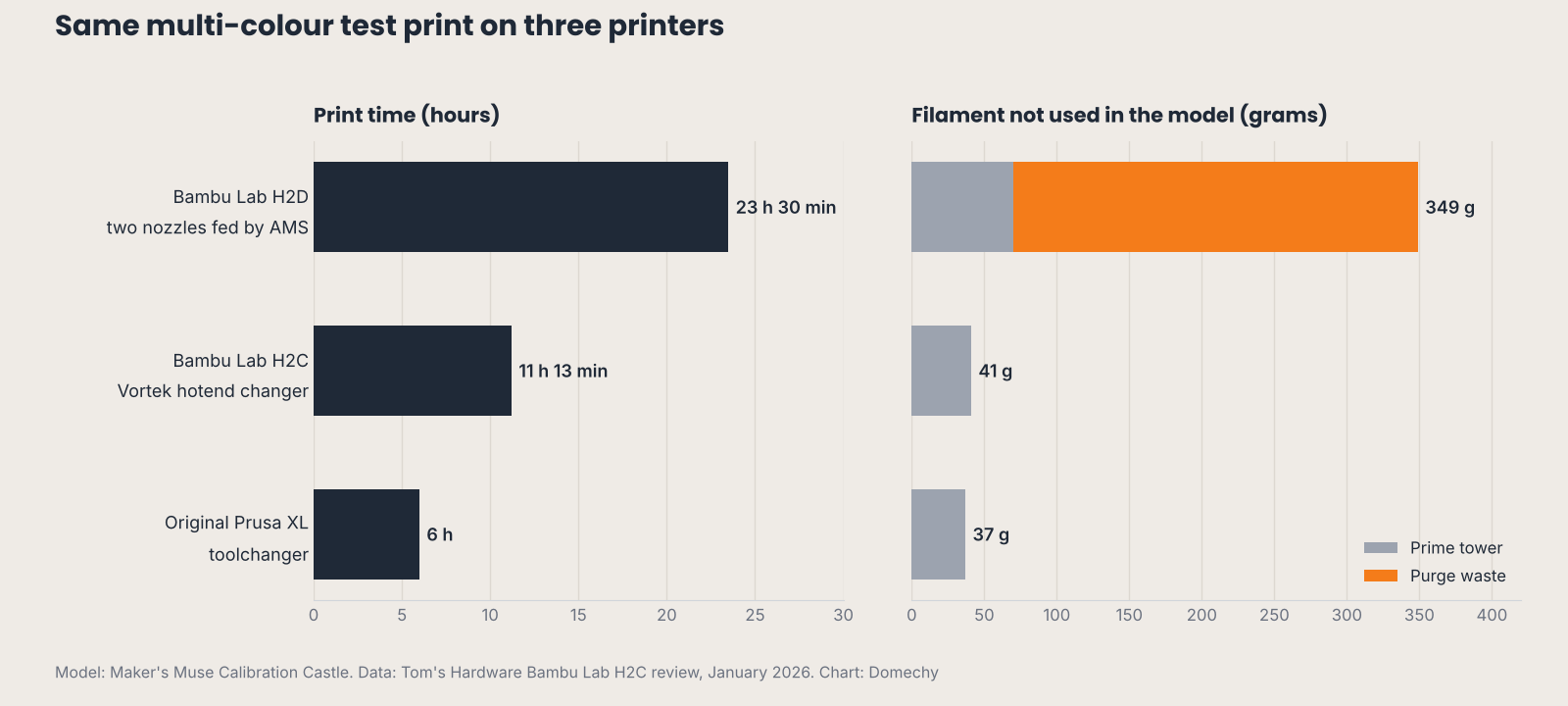
On the H2D, the material that did not end up in the model came to 349 g, against 41 g on the H2C and 37 g on the Prusa XL, and the H2D took more than twice as long as the H2C. This is one model in one test, and the three printers also differ in speed, toolhead design and price, so the result shows the general effect of purging rather than a ranking of the machines. The 279 g figure is specific to this model and its settings, since the number of colour changes, the colours used, the slicer’s flush settings and the model’s shape all change how much a printer purges, and models with fewer colour changes would show a much smaller gap.
Which method suits which kind of printing
For decorative prints, figurines, signs and keychains, where colour is the point and the materials are usually all PLA, a filament changer is still the most sensible starting point. It is the cheapest per colour, it handles the most colours, and the enclosed units protect filament from humidity. The purge is a running cost, so it is worth learning the slicer’s flush-into-infill options and grouping colours on the same layers where the design allows.
For people who print with two colours or two materials most of the time, such as a body colour with an accent or PLA with a support material, a dual-nozzle printer removes most of the purge without the price of a full toolchanger.
For functional parts that mix materials, such as rigid and flexible sections in one part, or for anyone printing many colour changes per layer, a toolchanger or hotend changer saves both filament and time, and the saving grows with every print. The higher price only pays off if multi-material printing is something you do regularly rather than occasionally.
IDEX makes the most sense for small production runs, where printing two copies at once matters more than having many colours.
For those of us in Malaysia, two practical points apply to every method. The first is humidity, since a toolchanger or an open spool holder leaves filament exposed for the whole print, so a separate dry box or dryer is worth budgeting for if the printer does not have sealed storage. The second is support, because a toolchanger has more parts that wear, so it is worth checking that replacement hotends, nozzles and toolheads are actually available locally before buying.
Summary
The method a multi-colour 3D printer uses to switch filament matters more than the number of colours on the box. A filament changer gives the most colours for the lowest price and pays for it in purge waste and time, while toolchangers and hotend changers cut most of that waste at a higher price and with fewer colours per print. Dual-nozzle toolheads and multi-channel designs like QuarTeks sit in between, and IDEX remains a niche choice for two-material and batch printing. We will update this guide as new systems such as Creality’s KliTek and the Sovol M1D reach customers.
Sources
- Reduce wasting during filament change, Bambu Lab Wiki
- Bambu Lab AMS 2 Pro, Bambu Lab Store
- Creality SPARKX i8, Creality
- Creality CFS multi-colour filament system specifications, SainSmart
- Bambu Lab launches the new H2C, 3D Printing Industry
- Bambu Lab H2C review, Tom’s Hardware
- Snapmaker U1, Snapmaker
- Sovol is bringing IDEX back with its upcoming M1D toolchanger 3D printer, All3DP
- Bambu Lab X2D: what it is, what’s new, and who should buy it, BambuHub
- Bambu Lab X2D review after 2 weeks, Domechy
- Snapmaker U1 review after the first weeks, Domechy
- Creality SPARKX i8, a four-colour printer with a QuarTeks toolhead, Domechy
- Is 2026 the year of the toolchanger 3D printer, Domechy
Don’t miss the latest articles and guides
Get new Domechy articles, guides and free models straight to your inbox.

Wanna share your thoughts or request anything? Comment below.