
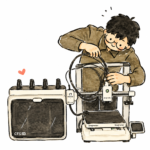
3D printing is a technology that allows us to produce physical objects from digital models. From phone stands and organisers to replacement parts and machine components, these objects can be created by building them one thin layer at a time.
Unlike a normal printer that places ink on a flat sheet of paper, a 3D printer produces an object with length, width and height.
Today, 3D printing is no longer limited to large factories, engineering companies or research laboratories. Machines have become more affordable, software is easier to use and thousands of printable 3D models are available online.
But what exactly is 3D printing, and how can a digital file be turned into a physical object?
What Is 3D Printing?
3D printing is a manufacturing process that creates a physical object from a digital 3D model by adding material layer by layer.
This process is also known as additive manufacturing.
The word “additive” is used because material is gradually added until the object is complete. This is different from processes such as CNC machining, where material is cut away from a larger block.
For example, to produce a phone stand using a 3D printer, the machine first prints the bottom layer on the build plate. The second layer is then deposited on top of the first, followed by the next layer until the entire phone stand is complete.
Each layer may be only around 0.1 to 0.3 mm thick, depending on the settings used.
Do All 3D Printers Use Filament?
No.
3D printing includes several different technologies. Some of the most common are:
- FDM, or Fused Deposition Modelling
- Resin printing, including SLA, DLP and MSLA
- SLS, or Selective Laser Sintering
- Metal 3D printing
For home users, schools, small workshops and many small businesses, the most common type is FDM.
This article focuses on FDM because it is generally more affordable, widely available and suitable for a broad range of everyday projects.
What Is FDM 3D Printing?
FDM is a 3D printing process that uses a long strand of plastic known as filament.
Filament is normally supplied on a spool. During printing, it is pulled into a heated section called the hotend.
The filament is then:
- Heated until it softens or melts.
- Pushed through a nozzle.
- Deposited onto the build plate along a programmed path.
- Cooled until it becomes solid again.
- Covered by the next layer until the object is complete.
The nozzle moves according to the shape of each layer, while the printer gradually changes position along the Z-axis.
This process may repeat hundreds or thousands of times, depending on the height of the model and the selected layer thickness.
Main Parts of an FDM 3D Printer
Although printer designs vary, most FDM machines share the same basic components.
Filament
Filament is the raw material used to create the object. It is commonly sold in 1 kg spools with a diameter of 1.75 mm.
Extruder
The extruder uses gears to grip and feed the filament towards the hotend.
Some printers use a direct-drive system, while others use a Bowden setup. The difference affects how the filament is delivered to the nozzle.
Hotend and Nozzle
The hotend heats the filament, while the nozzle controls how the material is deposited.
A 0.4 mm nozzle is the most common standard size. Smaller nozzles can produce finer details, while larger nozzles can deposit more material and reduce print time.
Build Plate
The build plate is the surface where the object is printed.
The first layer must stick properly to this surface. If it does not, the object may move, lift or fail before the print is complete.
Motion System
Motors, belts and rails move the nozzle or build plate along the X, Y and Z axes.
The accuracy of this movement affects the shape, dimensions and surface quality of the printed object.
Cooling Fans
Cooling fans help solidify the filament after it leaves the nozzle.
Correct cooling is especially important when printing overhangs, bridges and small details.
How Does a Digital Model Become a Physical Object?
A typical 3D printing workflow consists of four main stages.
1. Obtain a 3D Model
Every print begins with a digital 3D model.
The model can be obtained in several ways:
- Downloaded from websites such as Printables, MakerWorld or Thingiverse
- Designed using CAD software
- Created in a 3D modelling application
- Captured using a 3D scanner
- Generated using an AI-based 3D platform
For mechanical projects such as brackets, mounts and enclosures, CAD software such as Fusion, SolidWorks, FreeCAD and Shapr3D is commonly used.
For artistic models and characters, Blender is often more suitable.
Common file formats include:
- STL — a widely used mesh format for 3D printing
- 3MF — can store additional information such as orientation and project settings
- OBJ — often used for visual models and textures
- STEP or STP — a CAD format that is generally easier to edit than STL
However, most printers cannot use a 3D model directly. The file must first be processed using slicing software.
2. Prepare the Model in a Slicer
A slicer is software that converts the 3D model into instructions the printer can understand.
Popular slicers include:
- Bambu Studio
- OrcaSlicer
- PrusaSlicer
- Cura
Inside the slicer, the model is digitally divided into hundreds or thousands of thin layers.
The user can also adjust settings such as:
- Layer height
- Nozzle temperature
- Build plate temperature
- Print speed
- Wall count
- Infill
- Supports
- Cooling
- Filament type
After the settings are selected, the slicer generates a set of machine instructions, commonly known as G-code.
G-code tells the printer where the nozzle should move, how much material should be extruded and what temperatures should be used.
3. The Printer Builds the Object Layer by Layer
When printing begins, the printer heats the nozzle and build plate according to the selected material profile.
It then starts producing the first layer.
The first layer is particularly important because the rest of the object is built on top of it. If the first layer does not stick correctly, the print may fail even when the model and other settings are correct.
Once the first layer is complete, the printer continues adding material until the entire object is finished.
Print duration depends on several factors:
- Object size
- Layer height
- Print speed
- Nozzle size
- Infill amount
- Number of walls
- Use of supports
- Number of objects on the build plate
A small object may be completed in less than one hour. A large or highly detailed model may take more than a day.
4. Remove and Finish the Object
After printing is complete, the object must be removed from the build plate.
Some parts can be used immediately, while others require additional work such as:
- Removing supports
- Trimming excess filament
- Sanding the surface
- Joining multiple printed parts
- Painting
- Installing screws, magnets or electronic components
These additional steps are commonly referred to as post-processing.
What Materials Can an FDM Printer Use?
FDM printers can use many different types of filament. Each material has its own advantages, limitations and printing requirements.
| Material | Main Characteristic | Common Uses |
|---|---|---|
| PLA | Easy to print, rigid and dimensionally stable | Models, organisers, decorations and prototypes |
| PETG | Tough and generally less brittle than PLA | Everyday functional parts |
| ABS | Heat-resistant but more prone to warping | Enclosures and technical parts |
| ASA | Heat- and weather-resistant | Outdoor and automotive parts |
| TPU | Soft and flexible | Covers, grips, gaskets and protective parts |
| Nylon | Tough and wear-resistant | Gears, hinges and selected mechanical parts |
For beginners, PLA is usually the easiest material to start with because it prints at lower temperatures and is less likely to warp.
However, there is no single best material for every project. Filament should be selected based on function, operating temperature, load, flexibility and environmental conditions.
What Can You Make With a 3D Printer?
One of the main advantages of 3D printing is the ability to produce objects that are customised for a specific user or application.
Common examples include:
Everyday Items
- Phone stands
- Cable organisers
- Storage containers
- Hooks
- Tool holders
- Replacement clips
Projects and Hobbies
- Figurines
- Props and cosplay parts
- Robots
- RC components
- Dioramas
- Decorative lamps
Mechanical Design
- Brackets
- Mounts
- Enclosures
- Jigs and fixtures
- Prototypes
- Assembly tools
Business Applications
- Custom products
- Personalised gifts
- Product prototypes
- Small-batch manufacturing
- 3D printing services
3D printing is particularly useful when only a small number of parts are needed or when each part must be customised.
Advantages of 3D Printing
Easy Customisation
Each object can have a different size, shape or name without requiring a new mould.
Suitable for Prototyping
A design can be printed, tested and improved quickly. This makes it easier to identify problems before the final product is manufactured.
No Dedicated Mould Required
Injection moulding normally requires specialised tooling, which can be expensive. FDM printing only requires a digital model and filament.
Ability to Produce Complex Shapes
Certain internal features and complex geometries are difficult to manufacture using conventional methods but can be easier to produce with 3D printing.
Suitable for Low-Volume Production
For one-off parts or small production runs, 3D printing may be more practical than preparing dedicated manufacturing tooling.
Limitations of 3D Printing
Although 3D printing is useful, it is not the best solution for every application.
Printing Can Take a Long Time
Even a relatively small object may require several hours to complete.
Visible Layer Lines
Because the object is built layer by layer, fine lines are usually visible on the surface.
Strength Is Not Equal in Every Direction
Printed parts are generally weaker between layers than along the printed lines.
Print orientation should therefore be selected based on the direction of the expected load.
Dimensional Accuracy Has Limits
Holes, slots and mating parts may require additional clearance or tolerance so that the components fit together correctly.
It Is Not Always Cheaper
For products already manufactured in high volumes, buying the finished product is usually cheaper than printing it yourself.
Some Materials Are More Difficult to Print
Materials such as ABS, ASA, nylon and certain engineering filaments may require an enclosure, filament dryer, higher temperatures or suitable ventilation.
Is 3D Printing Easy for Beginners?
3D printing is much easier today than it was several years ago.
Many modern printers include features such as:
- Automatic bed levelling
- Automatic Z-offset calibration
- Filament runout sensors
- Wi-Fi monitoring
- Built-in cameras
- Automatic flow calibration
- Material presets
However, a printer still cannot solve every problem automatically.
Beginners should understand a few basic principles, including:
- Keeping the build plate clean
- Choosing the correct filament
- Using a slicer
- Selecting the correct model orientation
- Knowing when supports are needed
- Identifying common print problems
A well-designed printer can reduce setup and calibration work, but user knowledge is still important for producing consistent results.
What Do You Need to Get Started?
To produce your first print, you will usually need:
- An FDM 3D printer
- Filament, preferably PLA for the first few prints
- A computer or compatible mobile device
- Slicing software
- A printable 3D model
- Side cutters for trimming filament or removing supports
Some printers include sample filament and test models, allowing users to begin printing immediately after setup.
Before buying a printer, it is also important to consider build volume, project type, local support, filament cost and maintenance requirements.
Final Thoughts
3D printing is a process that produces physical objects from digital models by adding material layer by layer.
In FDM printing, filament is heated and pushed through a nozzle before being deposited onto the build plate.
This technology is useful for prototypes, replacement parts, customised products, hobby models and low-volume mechanical components.
Although modern printers are becoming easier to use, good results still depend on material selection, model orientation, slicer settings and a basic understanding of the printing process.
Once you understand how 3D printing works, the next step is learning how to choose your first printer, prepare a model in a slicer and complete your first successful print.
Looking to buy a 3D printer in Malaysia?
We’ve put together a curated list of 3D printing shops, filament suppliers, and service providers across Malaysia.
View the directory →Don’t miss the latest articles and guides
Get new Domechy articles, guides and free models straight to your inbox.

Wanna share your thoughts or request anything? Comment below.