

Ridzwan Normahazan
written on 11 May 2026
Bambu Lab X2D vs P2S: Is the X2D Actually Worth Buying?
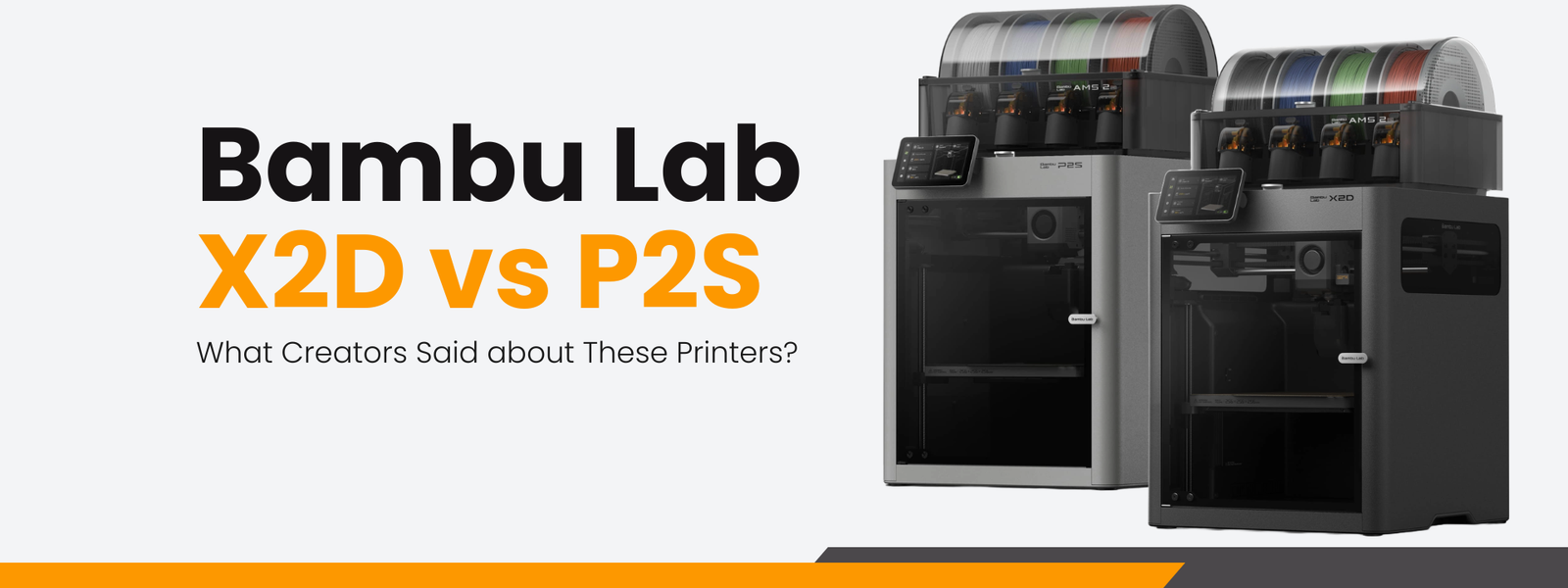
The release of the Bambu Lab X2D created a surprisingly large debate within the 3D printing community. On paper, the X2D looks like an obvious upgrade over the P2S. It adds a second nozzle, chamber heating, better ventilation, reduced purge waste, and several hardware improvements — all for only around USD100 more than the P2S combo package.
Because of that, many creators immediately started asking the same question: if the price gap is this small, why would anyone still buy the P2S?
After watching comparisons and tests from creators like The3DPrintingZone, Tom Buck, and Planet 3DP, the answer turns out to be more complicated than simply “newer is better”.
The X2D clearly solves some very specific problems extremely well, but it also introduces limitations and complexity that may not matter to many users.
Interestingly, the creators also disagreed on several things, including noise level, print quality differences, and how useful the second nozzle actually is in real-world workflows.
So instead of treating the X2D as a universally superior printer, it may be more accurate to view it as a more specialized version of the P2S.
What Creators Liked About the X2D
The biggest strength mentioned repeatedly was the dual nozzle system, especially for multi-color and support-material printing.
In testing by The3DPrintingZone, a two-color panda print showed a massive difference in both time and waste. The P2S reportedly took around 4 hours to complete the print, while the X2D finished it in around 1 hour 37 minutes. Material waste was also dramatically reduced, with the P2S generating around 62g of waste compared to only around 8g on the X2D including the prime tower.
This difference exists because the P2S still relies on a single nozzle. Every color change requires retracting filament, loading another filament, purging leftover material, then continuing the print. The X2D avoids much of this by switching between two dedicated nozzles instead.
For users who regularly print multi-color models, especially products with frequent color changes, this can become a major advantage over time. Less purge waste also means lower filament cost and less cleanup.
Another commonly praised feature was the heated chamber.
Both Planet 3DP and The3DPrintingZone mentioned that the X2D feels significantly more suitable for ABS and ASA printing compared to the P2S. While the P2S can still print these materials, the actively heated chamber on the X2D provides more stable internal temperatures, helping reduce warping and improving consistency.
This matters more than many beginners realize. Engineering materials such as ABS and ASA shrink while cooling. Uneven cooling inside the chamber can cause corners to lift or layers to separate. By actively controlling chamber temperature, the X2D reduces this issue.
Support-material workflow was another area where creators saw major value.
Tom Buck tested PLA models using PETG support interfaces and found that supported surfaces became significantly cleaner compared to standard single-material supports. The supports also detached much more easily.
Meanwhile, Planet 3DP demonstrated how the X2D dramatically reduced both time and material usage for support-heavy models. In one example, the X2D estimated around 6.5 hours and roughly 160g total material usage, while the same workflow on the P2S was estimated at over 14 hours and more than 250g of material.
For functional parts or models with difficult overhangs, this can genuinely improve both efficiency and final surface quality.
Some creators also praised smaller improvements that do not appear clearly on spec sheets, including:
- upgraded belts
- chamber airflow control
- dual auxiliary cooling fans
- built-in exhaust system
- reduced vertical artifacts
- improved multi-color efficiency
Individually, these changes may sound minor. Together, however, they make the X2D feel more production-oriented than the P2S.
The Main Criticisms and Concerns
Despite the positive reception, the X2D also received several important criticisms.
The biggest concern was the second nozzle itself.
Unlike the more expensive H2D series, the X2D does not use two equivalent nozzles. The auxiliary right nozzle uses a Bowden-style extruder system instead of direct drive.
This creates limitations.
Several creators pointed out that the auxiliary nozzle is not ideal for softer TPU materials, silk PLA, or some engineering filaments. In testing by Planet 3DP, the right nozzle produced visibly more stringing than the left nozzle under default settings.
To be fair, the creator also mentioned that much of the stringing could likely be improved through tuning. However, the point still remains: the second nozzle is not simply “another identical nozzle”.
That distinction is extremely important because many users initially assumed the X2D functioned similarly to the far more expensive H2D systems.
Another recurring concern was complexity.
Tom Buck repeatedly described the P2S as simpler and more beginner-friendly. The X2D introduces more systems to manage:
- second nozzle calibration
- external Bowden extruder
- manual filament loading for auxiliary nozzle
- chamber heating management
- more workflow decisions regarding materials
None of these are necessarily difficult for experienced users, but they do increase the learning curve.
Tom Buck also made an important observation that often gets ignored during product launches: every additional feature also introduces another possible failure point, maintenance point, or confusion point.
That is a very real engineering tradeoff.
Interestingly, creators also disagreed on noise.
The3DPrintingZone described the X2D as noticeably quieter than the P2S during long print sessions, especially in a room environment. However, Tom Buck reported the opposite experience, saying the X2D sounded louder due to additional fans and airflow systems.
This likely comes down to testing conditions, fan settings, chamber usage, or even room acoustics. It also shows why real-world testing sometimes produces conflicting impressions even when reviewing the same machine.
Why Creators Disagree About the X2D
The interesting thing about the X2D is that most disagreements are not actually contradictions. They usually come from different workflows.
The3DPrintingZone focused heavily on print-farm efficiency, waste reduction, and production throughput. From that perspective, the X2D’s reduced purge waste and faster nozzle switching are extremely valuable.
Meanwhile, Tom Buck approached the comparison more from a user-experience angle, focusing on workflow simplicity and beginner accessibility. Under that lens, the P2S still makes a lot of sense.
Planet 3DP landed somewhere in the middle. The channel acknowledged the value of the X2D’s support-material workflow and heated chamber, but also showed that the second nozzle does not automatically produce better print quality. In fact, some single-color tests from Planet 3DP actually favored the P2S slightly. That leads to an important conclusion: the X2D’s main advantage is not necessarily raw print quality.
Its real advantage is workflow optimization.
The second nozzle mainly exists to:
- reduce waste
- reduce switching time
- improve support-material workflow
- improve engineering-material capability
If those things are not important to your printing habits, the X2D may feel surprisingly similar to the P2S despite the additional hardware.
This is also why several creators questioned the current pricing strategy.
At only around USD100 difference between combo packages, many buyers may simply choose the X2D “just in case”. But several reviewers also argued that the P2S would make much more sense if the price gap were larger.
In other words, the X2D may currently be overshadowing the P2S not because the P2S is bad, but because the pricing is too close.
Who Is the X2D Actually For?
Based on the creator discussions so far, the X2D appears most suitable for users who:
- frequently print multi-color models
- print ABS, ASA, or engineering materials often
- care about reducing purge waste
- use support interface materials regularly
- operate small print farms
- prioritize workflow efficiency over simplicity
Meanwhile, the P2S still appears extremely strong for users who:
- mainly print PLA
- mostly print single-color models
- are beginners to 3D printing
- prefer simpler maintenance
- want fewer material restrictions
- do not regularly use support interface materials
For many hobby users, the P2S may honestly still be the more practical choice.
The X2D becomes much easier to justify when its specific strengths align with your actual workflow.
Final Thoughts
The Bambu Lab X2D is not just a “better P2S”. It is a more specialized machine aimed at solving specific workflow inefficiencies.
That distinction matters.
Some users will absolutely benefit from:
- dramatically reduced purge waste
- faster multi-material printing
- heated chamber stability
- cleaner support-material workflows
Others may barely use those features at all.
What makes the current discussion interesting is that creators are not universally treating the X2D as a guaranteed upgrade for everyone. In fact, several reviewers still described the P2S as the simpler, safer, and more approachable option for many users.
And honestly, that may be the clearest conclusion from all these comparisons.
The X2D is impressive, but whether it is “worth it” depends less on the spec sheet and more on what you actually print every day.
Looking to buy a 3D printer in Malaysia?
We've put together a curated list of 3D printing shops, filament suppliers, and service providers across Malaysia.
View the directory →Don’t miss the latest articles and guides
Get new Domechy articles, guides and free models straight to your inbox.
