
In the world of 3D printing, issues can occur both during the printing process and after a print is completed. In this article, I’ll outline three common problems in 3D printing:
1. First Layer Not Sticking (First Layer Adhesion)
After pressing the print button, the first layer determines whether the print will succeed or fail. Sometimes, the first layer does not adhere properly to the print bed due to several factors. When the first layer fails to stick, subsequent layers will also fail since there is no proper surface to build on.

| Cause | Solution |
|---|---|
| First layer cools too quickly | Reduce printing speed (for the first few layers only) |
| Print bed not level | Level the print bed evenly at all four corners |
Some users—especially those using older 3D printers—apply glue or a glue stick to the print bed to improve adhesion. However, with modern technology, most 3D printers now come with auto bed leveling, which ensures the first layer is printed properly without needing additional adhesives.
2. Warping
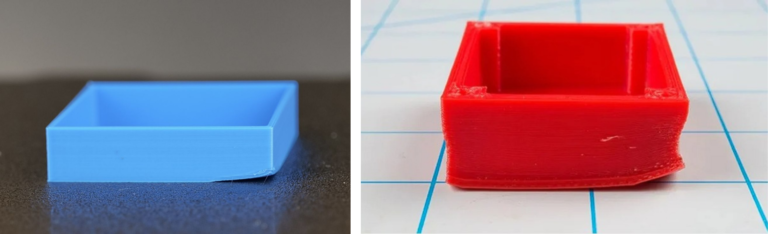
Warping is a common issue where one or more corners of a print lift off the print bed. Technically, this happens when the first layer cools too quickly, preventing the next layer from bonding properly.
| Cause | Solution |
|---|---|
| First layer cools too quickly | Reduce printing speed (for the first few layers only) |
| Print bed not level | Level the print bed evenly at all four corners |
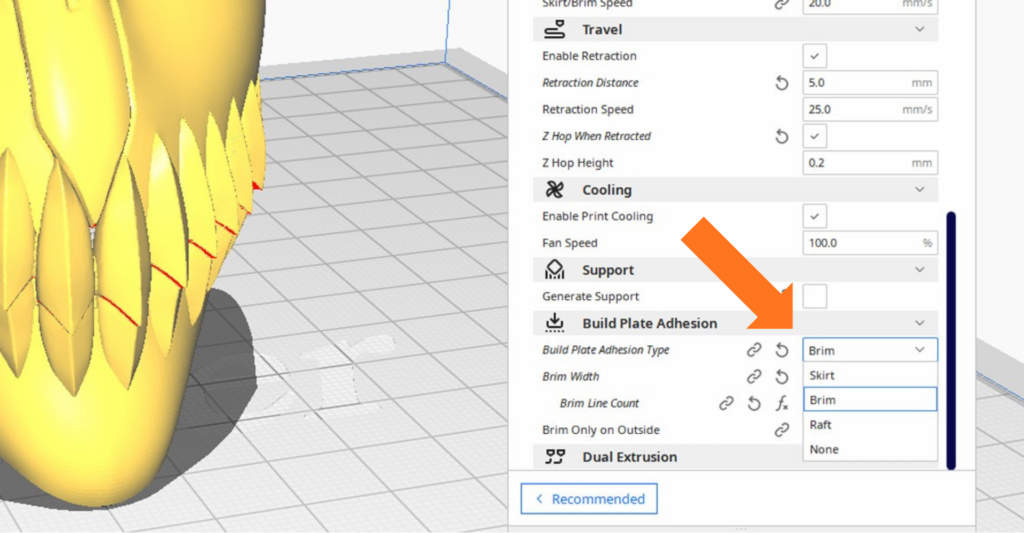
One effective way to reduce warping is by using brim or raft settings. These create extra material around or beneath the object during the first layer, helping improve adhesion and preventing the actual model from lifting.
3. Stringing
Stringing is another common issue where fine, hair-like strands appear on the printed object. This happens when melted filament oozes out of the nozzle while the printer is moving between parts of the model without printing.
Although stringing doesn’t usually ruin a print, it affects surface quality and makes the result look messy.

| Cause | Solution |
|---|---|
| Nozzle temperature too high, causing excess filament to melt | Reduce nozzle temperature |
| Nozzle movement too slow | Increase printing speed |
| Retraction setting disabled | Enable retraction in the slicer settings |
Beyond typical technical causes, one of the most common reasons for stringing is moisture in the filament. Even if the filament feels dry, it can absorb moisture from the air depending on the humidity level.
When moist filament is heated, the absorbed water turns into vapor, causing unstable extrusion. This often results in excess filament leaking from the nozzle, creating stringing on the print.
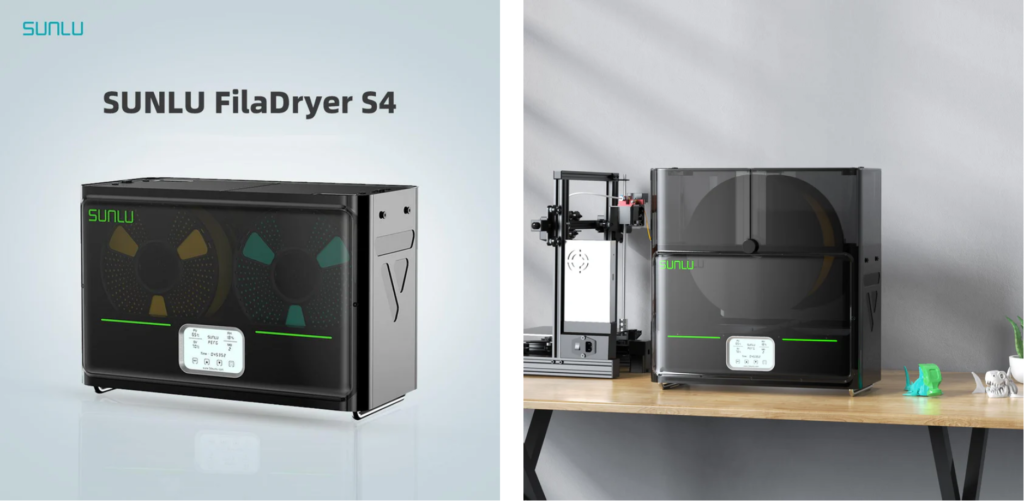
The simplest way to prevent this is to dry the filament before use. A common solution is using a filament dryer, such as those from SUNLU, which are designed to remove moisture and ensure stable printing.
Conclusion
The three common 3D printing problems are:
- Poor first layer adhesion
- Warping
- Stringing
These issues can usually be resolved with small adjustments to your printer settings and slicer configuration. Always review your settings before starting a print to achieve the best results.
Happy printing!
If you’re new to 3D printing, you can also explore more tips in the following articles:

We’d like to share that SUNLU, the main sponsor of Domechy, provides consistently high-quality filament at reasonable prices, especially for bulk purchases. In addition to filament, SUNLU also offers various 3D printing accessories such as filament dryers and storage solutions to keep filament in optimal condition. If you’re looking for reliable filament or accessories for daily use, it’s worth considering them.
Don’t miss the latest articles and guides
Get new Domechy articles, guides and free models straight to your inbox.

Wanna share your thoughts or request anything? Comment below.